
 Hytale
The /whitelist command in-game and on the console is not yet functional, so a manual action is required to add a player.
1. Enable the whitelist
⚠️This action must be performed with the server turned off.
The whitelist system is disabled by default, to enable it you need to go to the Files tab, then go to the Hytale folder and open the whitelist.json file.
Edit it and change the value from false to true: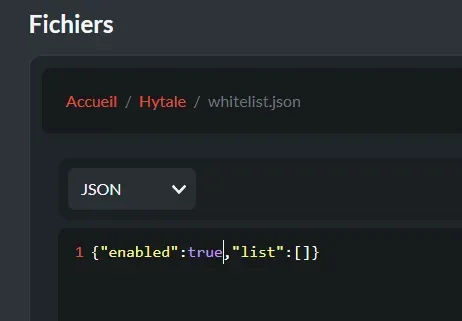
Then start your server to apply the change.
- Retrieve a player's UUID
To retrieve the actual UUID of a player (the one that will be used to allow or deny access to the server), you will need to get it from the console. After enabling the whitelist, ask the player to connect and retrieve their UUID from the console in the line that initiates the connection:

3. Add player(s) to the whitelist
⚠️This action must be performed with the server turned off.
Then go back to the whitelist.json file and enter the player's UUID in the following format: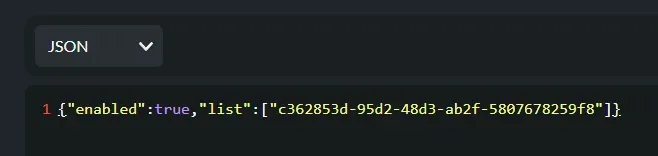
When you have multiple players on the whitelist, the file should look like this: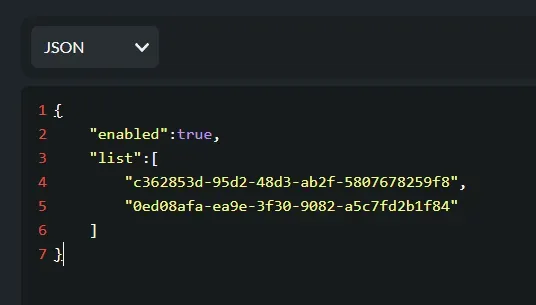
**⚠️Always put the UUID in quotes, and have a comma at the end of each UUID except the last one in the list.
You can then connect to your server.