


 Hytale
Changing versions is sometimes useful to access new features more quickly or get early access to fixes.
Here's how to do it:
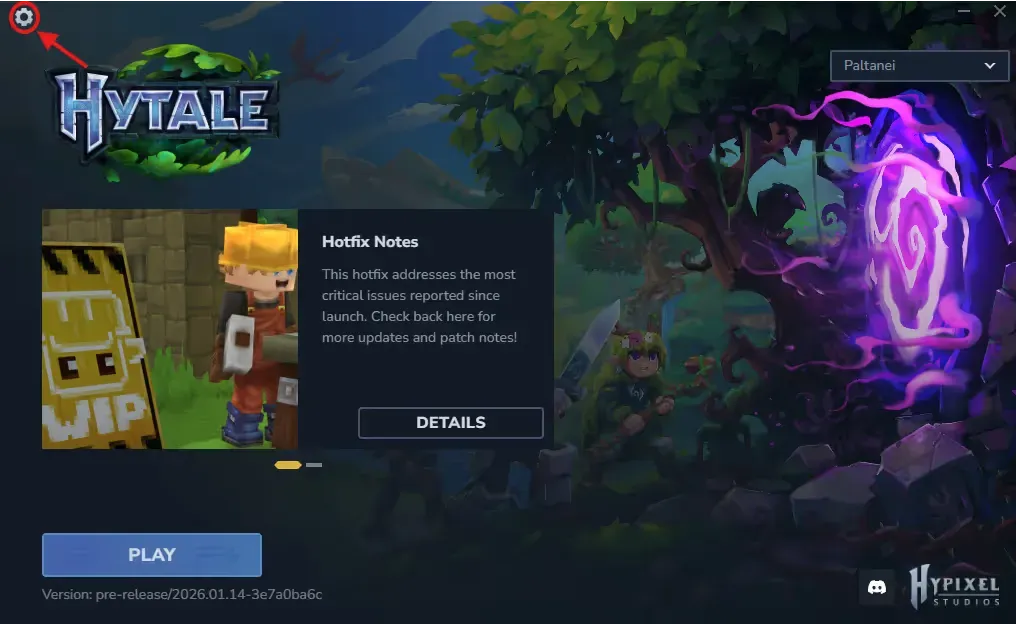
Open your Hytale launcher and click on the gear icon at the top left.
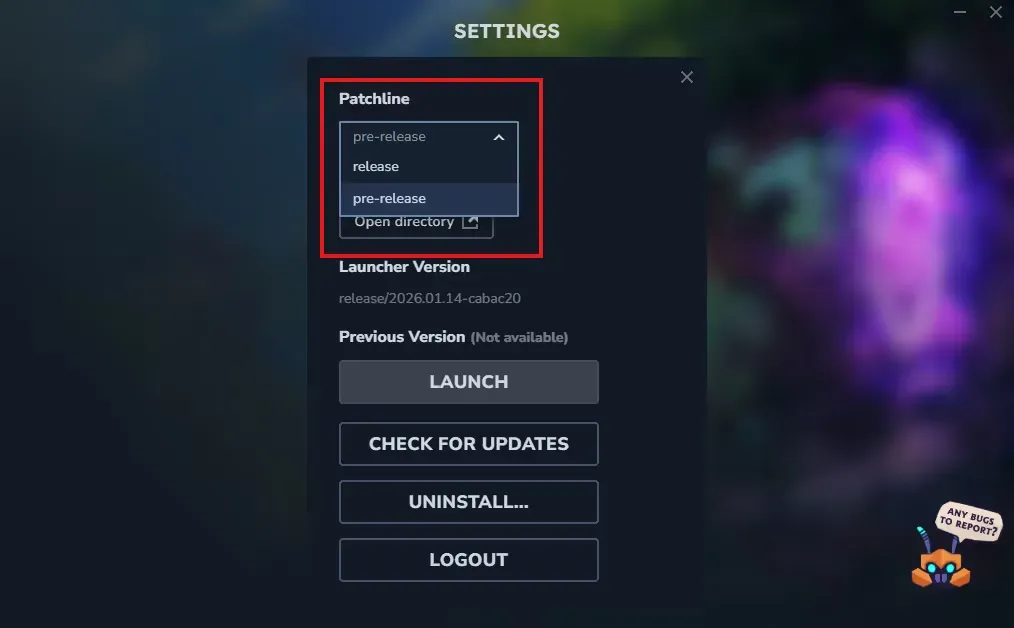
Then click on "Patchline" and select "Pre-release"
Then click on the small cross on the right
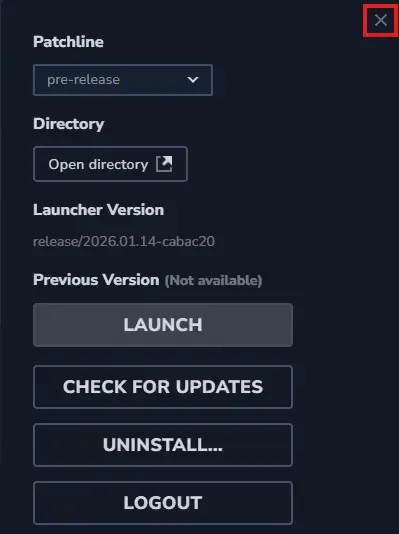
You are now in pre-release, the game will install this version.
Need help?
You can open a support ticket from the panel or join our Discord for assistance.


