


 Core Keeper
How to import my map on the server?
To import your map you need to identify the part you want to import in your local files.
The saves on your computer are located here: C:\Users\AppData\LocalLow\Pugstorm\Core Keeper\Steam\xxxxxxxxx\worlds
"xxxxxx" being your steam ID
In this folder you will find several files:

⚠️The file 0.world.gzip corresponds to save number 1 in the game, the file 1.world.gzip to save number 2 and so on.
Once the world is identified, you need to create an FTP access
You can now connect to your server via FTP.
Go to the following location: /.config/unity3d/Pugstorm/Core Keeper/DedicatedServer/worlds
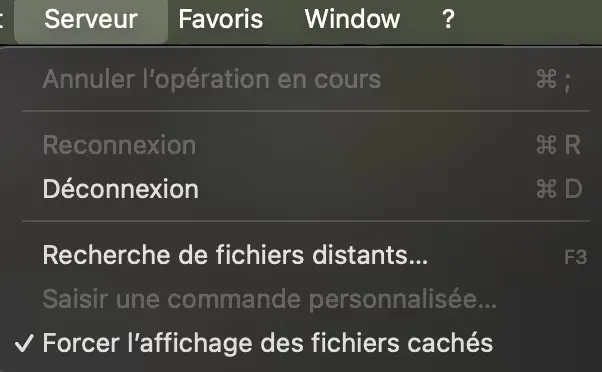
If you do not see the .config folder, go to the "Server" tab on FileZilla and check the "Force showing hidden files" box
Transfer your x.world.gzip and x.world.gzip.pugbackup files into the server's world folder.
x being your save number.
If files named 0.world.gzip & 0.world.gzip.pugbackup are already present on the server, you can delete them.
Rename the x.world.gzip files to 0.json and do the same for the world.gzip.pugbackup file
You should have this on the "Remote Site" part on FileZilla:
You can restart your server and your map will be loaded.
We remain available in case of any issues, whether on Discord or via a support ticket.