


 V Rising
If you want admin rights on your V Rising server, it's super simple!
Before any manipulation, go to your server manager and stop it.
Once the server is stopped via your manager, simply go to the Configuration tab, you have the adminlist.txt file, it's in this file that you will be able to enter your steam ID.
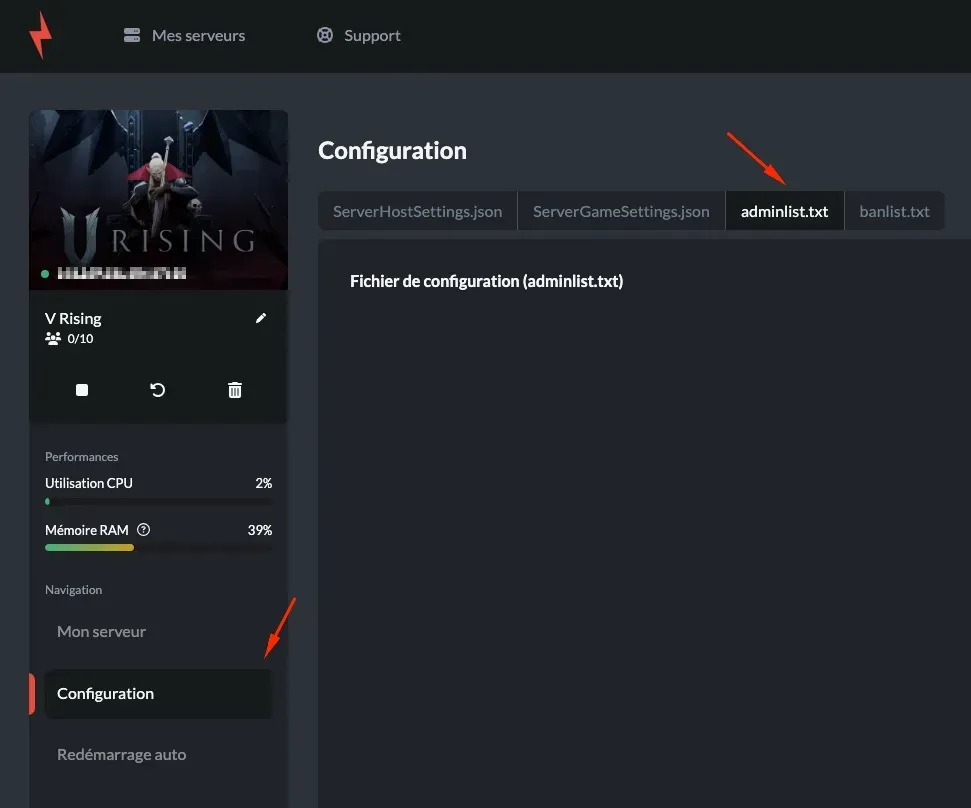
Where can I find my steam ID? Generally, just go to your steam profile, and a URL will appear, it looks like this: https://steamcommunity.com/profiles/mySteamID
You will find a series of numbers at the end of this URL, that's what you need to retrieve and copy-paste into the configuration file named adminlist.txt.
If you have a personalized steam ID, you can use this site to find it https://steamid.io/, it's the steam ID64 that you need to copy.
If you want multiple admins, the process remains the same, however, you must enter one steam ID per line, without any extra characters.
Like this:
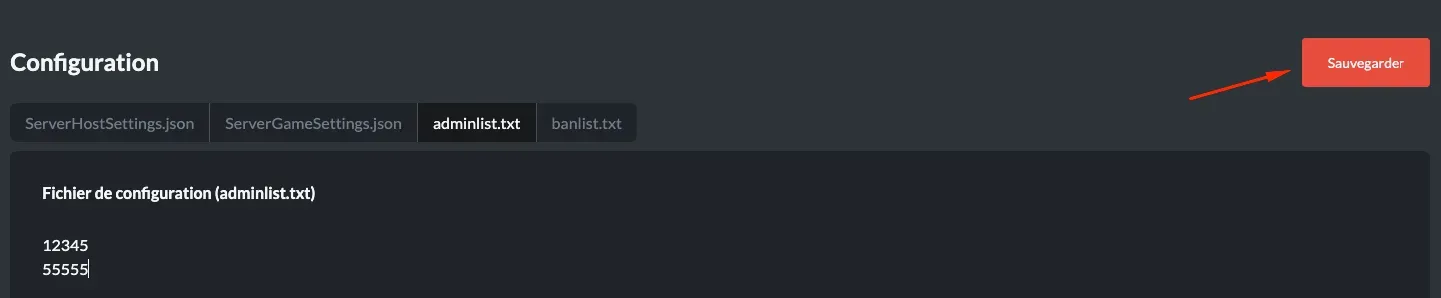
And don't forget to save!
And now you can restart your server once the changes are entered and saved.
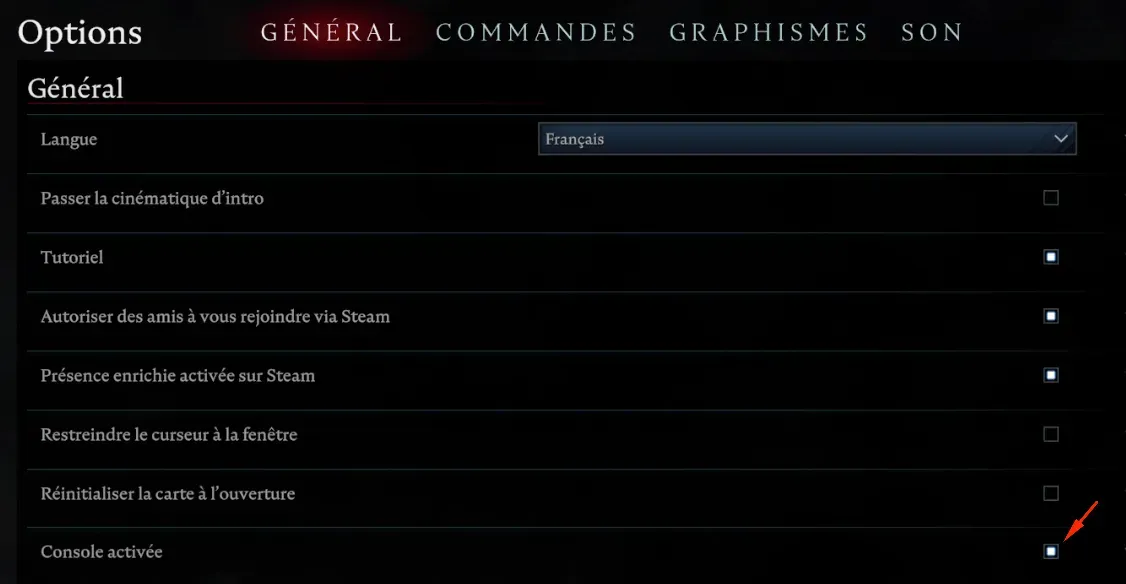
Now, you need to display your admin console ingame, it is not enabled by default.
Once the game is launched, go to options, general, and check the console enabled box.

Once that's done, you can connect to your server and click on ` (ALT GR + 7 on a French keyboard) to open the console and enter adminauth. You are now an admin of your server and can use the commands you want via this console.

You can find the list of admin commands on the game's wiki:
https://vrising.fandom.com/wiki/Console#Admin_Game_Commands